
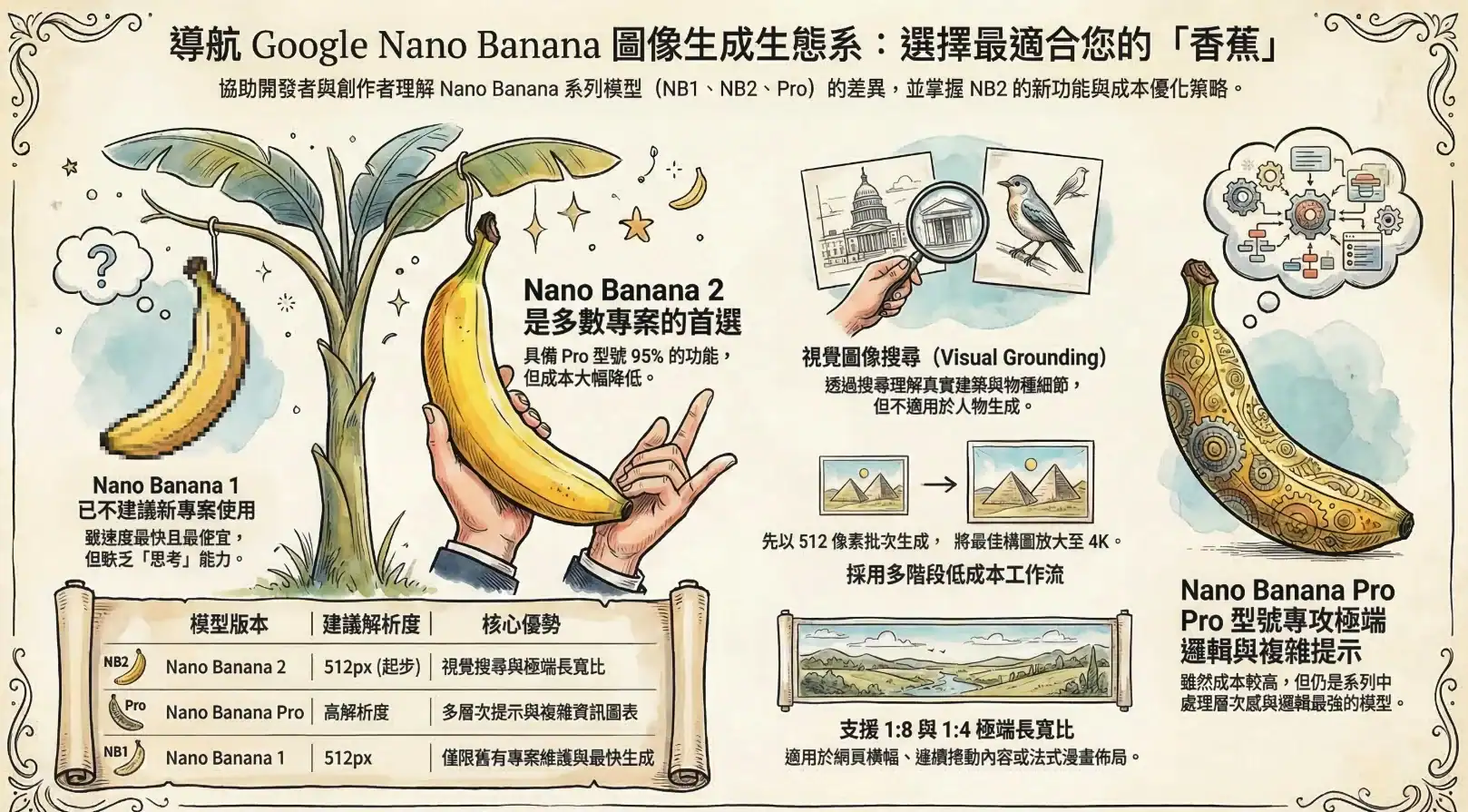
Google has released official documentation detailing its Nano Banana image generation AI model series, outlining the differences and ideal apply cases for each model. The guidance focuses on the recently launched Nano Banana 2, built on Gemini 3.1 Flash Image technology. This detailed explanation aims to help developers and creators select the model best suited for their applications.
Nano Banana 2 Offers Cost-Effective Mainstream Option
Google states that Nano Banana 2 delivers approximately 95% of the capabilities of Nano Banana Pro at a significantly reduced cost, making it the default recommendation for most new projects. Nano Banana Pro is reserved for highly complex, multi-layered prompts or scenarios with extreme logical demands, though Google clarifies that it remains the best image model in the series. The older Nano Banana 1, while the cheapest and fastest, is no longer recommended for new projects as it isn’t a “thinking” model. For developers needing finer control, improved prompt adherence, or new image search capabilities, Google advises using NB2 directly, particularly at 512-pixel resolution where its cost is comparable to NB1.
Nano Banana 2 Uniquely Supports Visual Grounding with Google Search
A key new feature of Nano Banana 2 is its integration of visual grounding with Google Search. While Nano Banana Pro can already extract textual information from the web, NB2 goes further by now being able to search for and understand actual images online before generating new visuals. Google explains this image search functionality is particularly effective for specific locations, such as churches, bridges, or town squares, as well as precise plant and animal species. The guidance demonstrates the visual differences using a church in Voyron, France, and two butterfly species. It’s important to note that the image search feature does not apply to people. Currently, this functionality is available through the API and has not yet been integrated into the Gemini app.
Disabling “Thinking Mode” Helps Reduce Costs
Nano Banana 2 supports image generation at 512 pixels, significantly accelerating creation times and lowering costs to levels similar to Nano Banana 1. Google recommends a multi-stage workflow: first generating a large number of variations at 512 pixels using the batch API, which offers a 50% discount, and then upscaling the best compositions to 1K, 2K, or 4K resolution. NB2 supports extreme aspect ratios of 1:8 and 1:4, in both vertical and horizontal orientations. Google notes these formats are well-suited for web banners, scrolling content, or manga-style comic layouts.
Google also suggests disabling “Thinking Mode” by default for Nano Banana models, as it primarily increases time and computational costs during general image generation. Enabling this mode is only worthwhile when the model produces nonsensical results, creates highly complex infographics, or combines image search with spatial reasoning. The advancements in image generation models like Nano Banana 2 reflect the ongoing evolution of AI and its increasing accessibility for creative applications.
