

MSI has expanded its motherboard lineup with the new MAG X870E GAMING PLUS MAX WIFI, designed to meet the demands of both hardcore gamers and content creators. This board, built around the AMD X870E chipset and featuring a distinctive white aesthetic, highlights the ongoing trend towards high-performance PC components. Detailed in a recent review, the MAG X870E GAMING PLUS MAX WIFI boasts a robust feature set-including support for the latest Ryzen processors, DDR5 memory, and PCIe 5.0-aimed at maximizing performance in modern applications and the increasingly popular field of artificial intelligence.
MSI has unveiled its latest high-end motherboard, the MAG X870E GAMING PLUS MAX WIFI, catering to PC enthusiasts with a striking white aesthetic and a feature set designed for cutting-edge performance. The new board, built around the AMD X870E chipset, supports the latest AMD Ryzen processors and is optimized for the performance gains offered by X3D technology, alongside high-speed memory, SSDs, and graphics cards. The arrival of this board underscores the ongoing demand for premium components capable of handling the increasing demands of modern gaming and AI applications.
The MAG X870E GAMING PLUS MAX WIFI boasts a robust 14+2+1 power design and a comprehensive cooling solution, ensuring stable and efficient operation for demanding gaming and AI workloads. Connectivity is also a key focus, with support for Bluetooth 5.4, Killer networking, Wi-Fi 7, and 5G LAN. The board also features high-speed USB4 40Gbps and PCIe 5.0 interfaces, alongside a range of user-friendly features for DIY builders.
X870E GAMING PLUS MAX WIFI Key Specifications
Table of Contents
The motherboard offers a number of notable features, but the ease-of-use design elements are particularly impressive. These include the “EZ PCIe Release” for simplified graphics card removal, “EZ M.2 Shield Frozr II” and “EZ M.2 Clip II” for easy M.2 SSD installation, and the “EZ Antenna” design for straightforward Wi-Fi antenna connection.
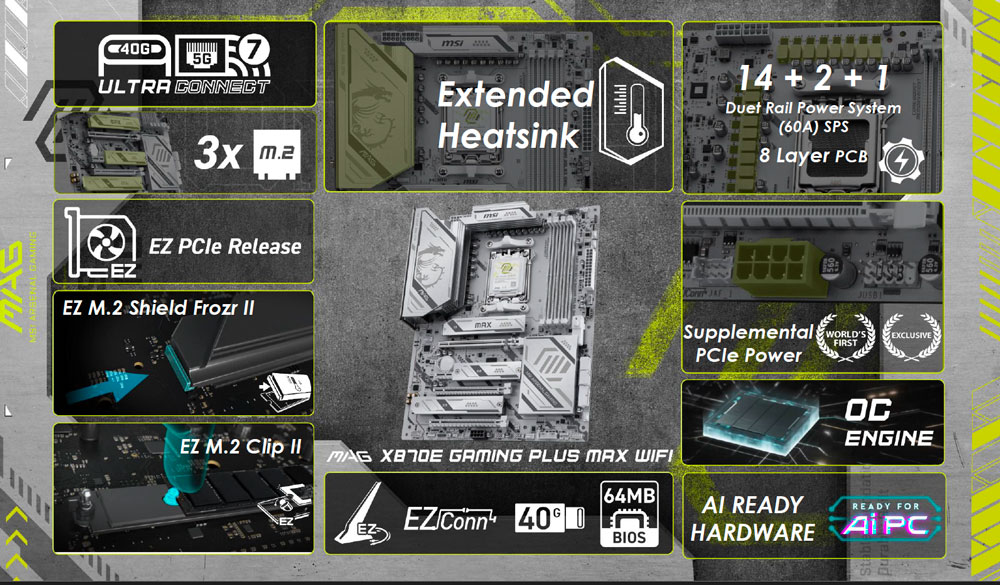
Refer to the specifications above for a detailed overview of the board’s capabilities.
- Supports AMD Ryzen 9000 / 8000 / 7000 Series Desktop Processors
- Supports DDR5 Memory, dual-channel DDR5 8200+ MT/s (OC) with four DIMM slots
- Ultra Performance: 114+2+1 (60A SPS) Power Design, dual 8-pin CPU power connectors, OC Engine / Direct OC Jumper / 64MB BIOS / EZ OC Tuning
- EZ DIY: EZ M.2 Shield Frozr II, EZ M.2 Clip II, EZ PCIe Clip II and EZ Antenna, EZ PCIe Release
- One PCIe 5.0 slot and three PCIe 5.0 M.2 slots, plus four SATA ports
- USB4 40G and 5G LAN, Wi-Fi 7 and Bluetooth 5.4
- Audio Boost: 7.1 channel audio output with high-end audio capacitors
Compared to the previously released X870E GAMING PLUS WIFI, the MAG X870E GAMING PLUS MAX WIFI features a new white color scheme, an upgraded 64MB BIOS (double the capacity), and the EZ PCIe Release for convenient graphics card removal.
MSI OC Engine / Direct OC Jumper
Before diving into the unboxing and performance testing, let’s take a look at MSI’s “Direct OC Jumper” design. Experienced overclockers will know that manually adjusting the BCLK (Base Clock) is a common way to increase processor speed. This MSI board allows for BCLK adjustment both within the BIOS and through the new Direct OC Jumper, enabling users to easily adjust the BCLK frequency directly from the operating system. The design even supports advanced customization within the BIOS, allowing for incremental clock adjustments.
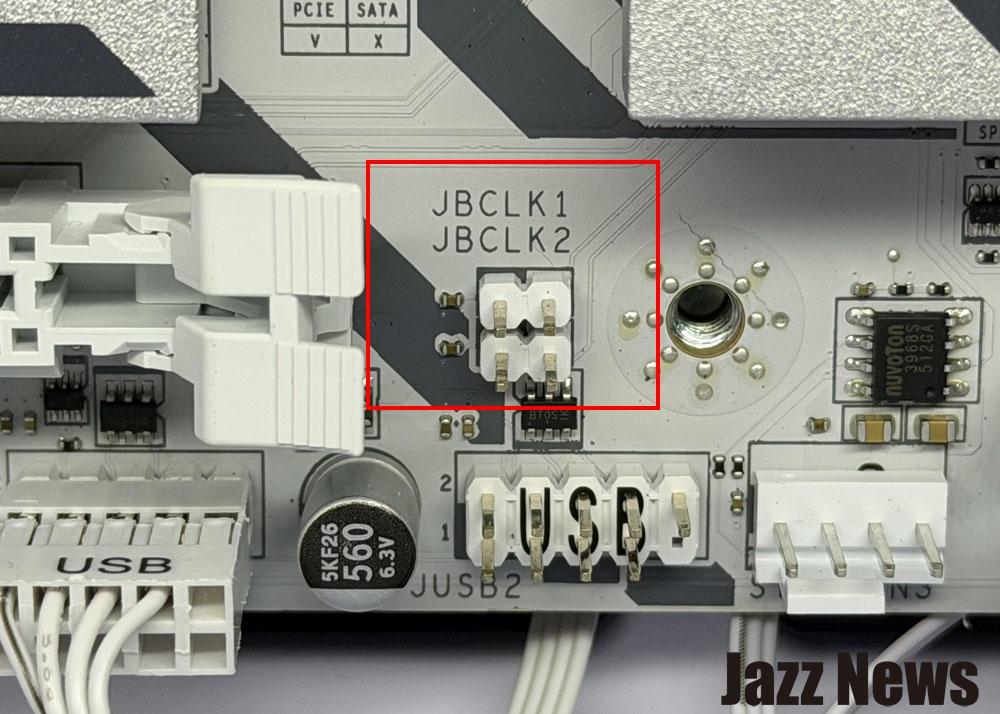
The Direct OC Jumper is located on the pins highlighted in the red box – simply touch them with a screwdriver to activate!
MSI MAG X870E GAMING PLUS MAX WIFI Motherboard Unboxing
Let’s take a closer look at MSI’s newly released motherboard.
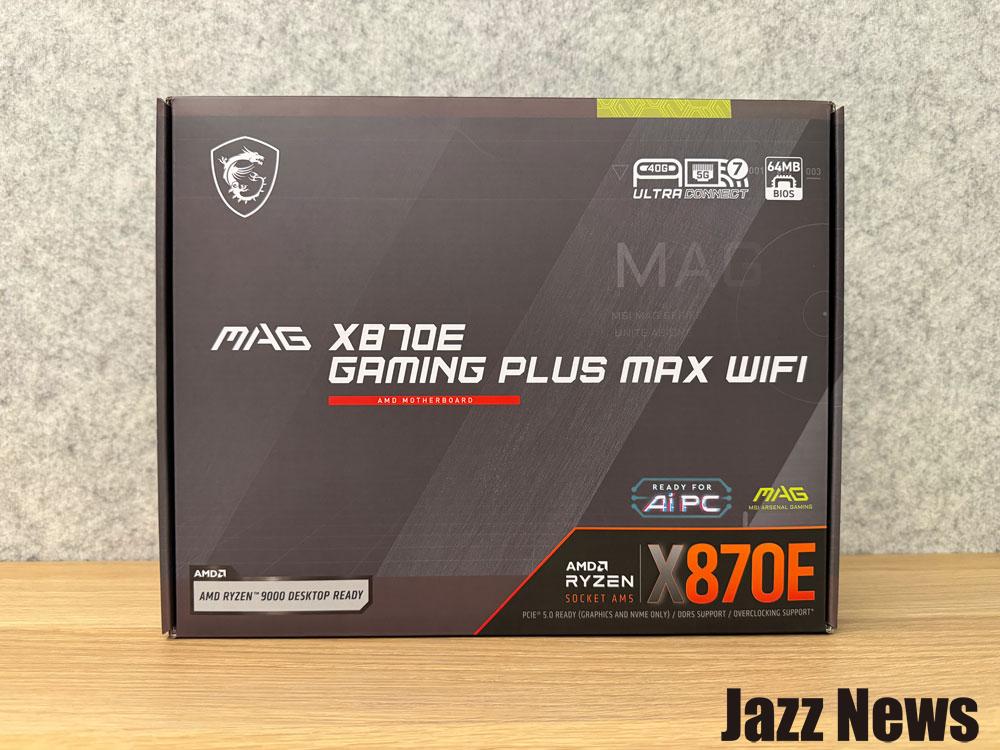
The motherboard’s packaging clearly indicates support for the AMD X870E chipset, the latest AMD Ryzen 9000 series processors, USB-C 40G, Wi-Fi 7, 5G LAN, and its readiness for AI PCs.
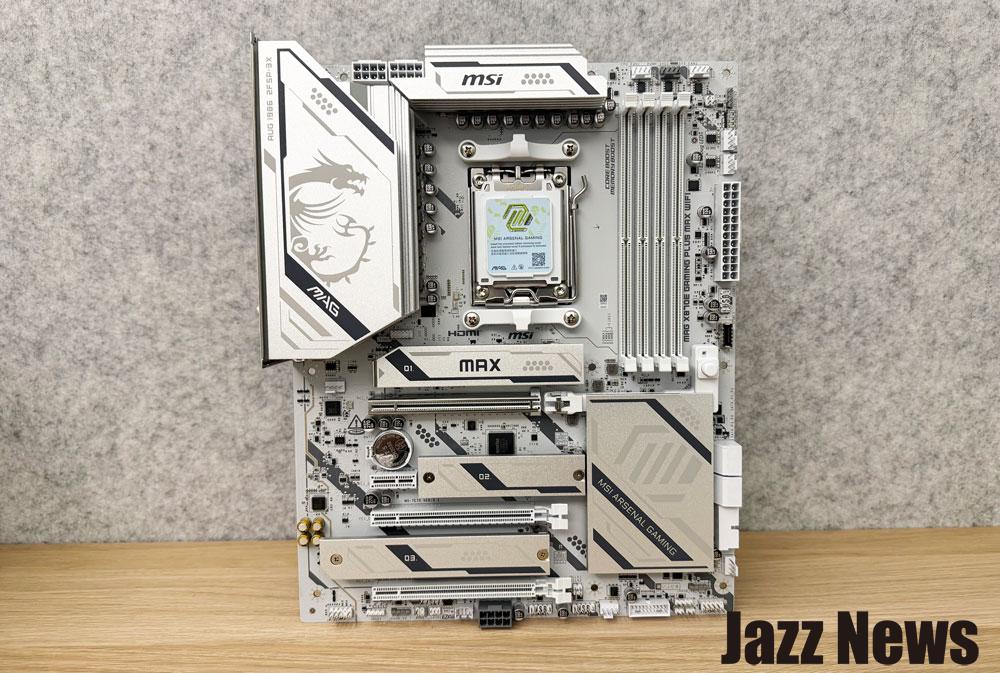
Removing the ATX-form-factor MSI MAG X870E GAMING PLUS MAX WIFI motherboard reveals its attractive white color scheme and substantial weight, indicative of high-quality components.
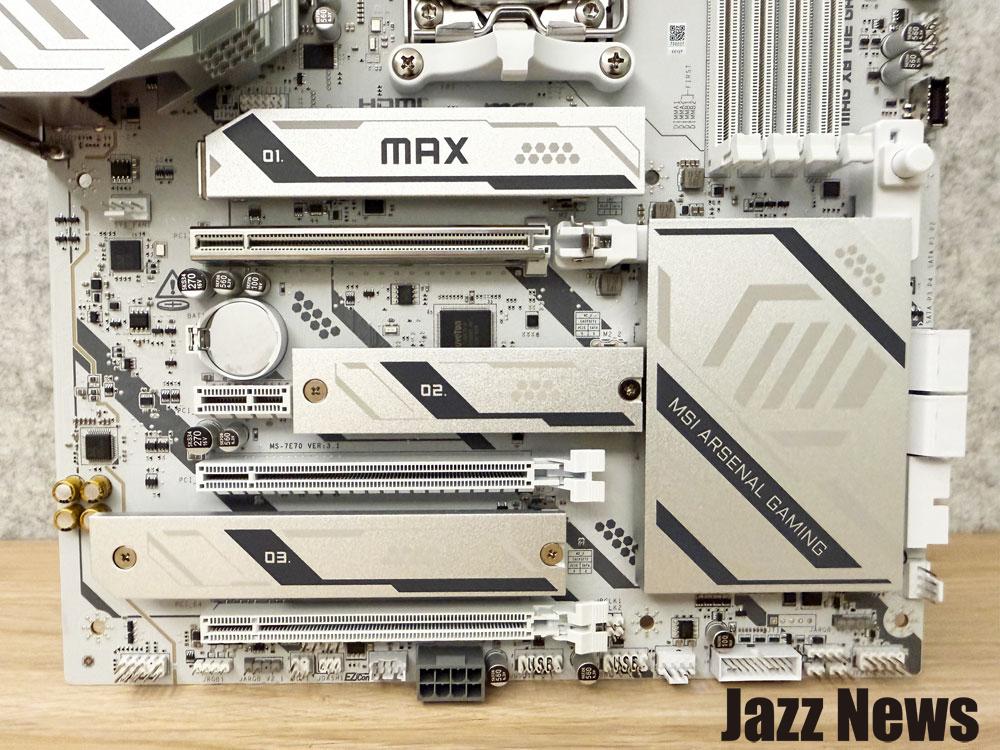
The motherboard features four PCIe slots: a PCIe 5.0 x16, a PCIe 4.0 x16 slot, and two PCIe 3.0 x1 slots. It also includes three M.2 slots with easily removable heatsinks (EZ M.2 Shield Frozr II).
A dedicated auxiliary PCIe power interface provides dedicated power for high-power GPUs used in AI computing and gaming, ensuring stable and efficient performance.
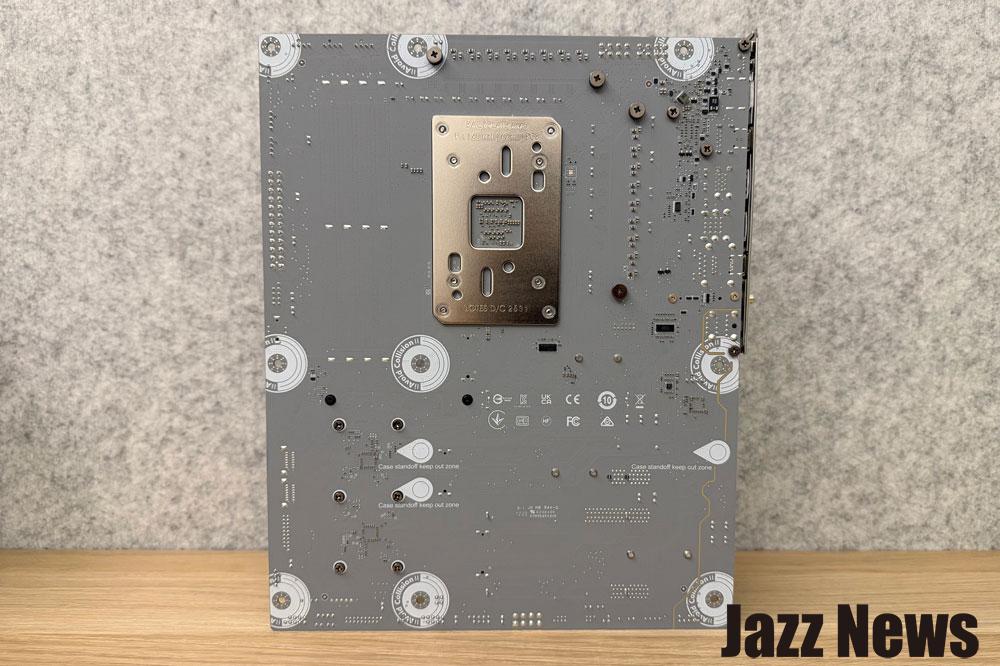
The board utilizes 2oz thickened copper and a server-grade material 8-layer PCB, and the back of the board also features a high-quality design to prevent scratches.
Motherboard Rear I/O Design
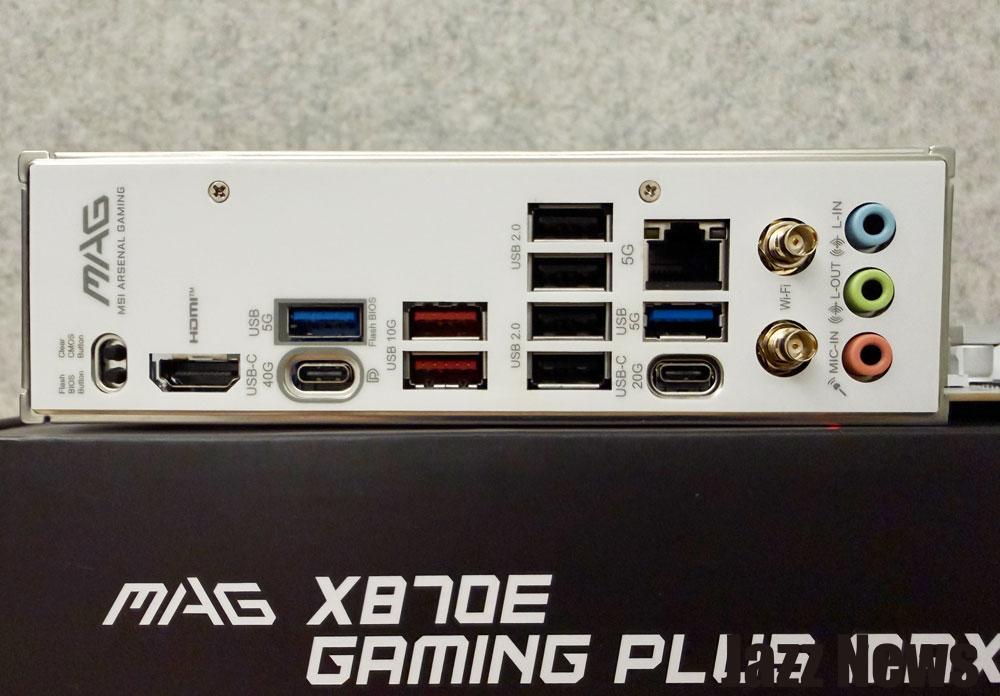
The rear I/O panel includes, from left to right, a Clear CMOS button, a Flash BIOS button, HDMI, USB 10Gbps Type-A and USB 40Gbps Type-C, two USB 10Gbps Type-A ports, four USB 2.0 ports, a 5GbE LAN (Realtek 8126 chip), USB 10Gbps Type-A and USB 20Gbps Type-C, Wi-Fi / Bluetooth antenna connectors, line-in and line-out jacks, and a microphone input (7.1 channel HD Audio with Audio Boost 5).
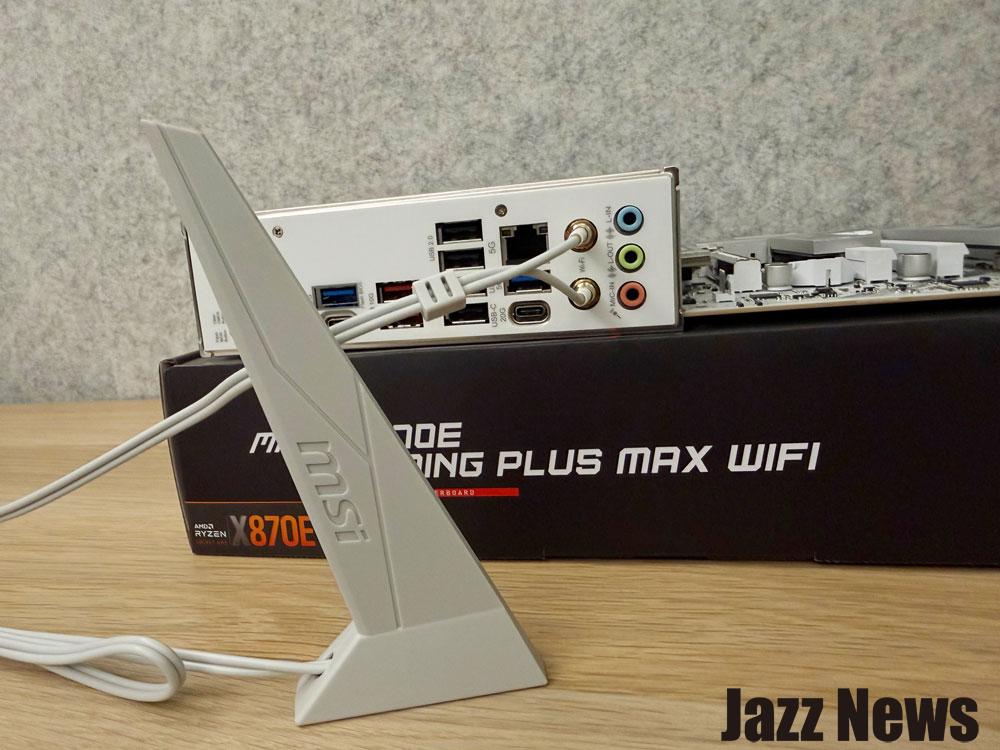
The “EZ Antenna” design allows for direct Wi-Fi antenna installation (supporting Wi-Fi 7 and Bluetooth 5.4).
MSI states this board delivers nearly true Wi-Fi 7 speeds of up to 5.8 Gbps with up to 320 MHz bandwidth. The board also features Latency Killer, which reduces memory latency by 12%, and allows users to fine-tune performance through dedicated BIOS memory settings.
Other Key Specifications
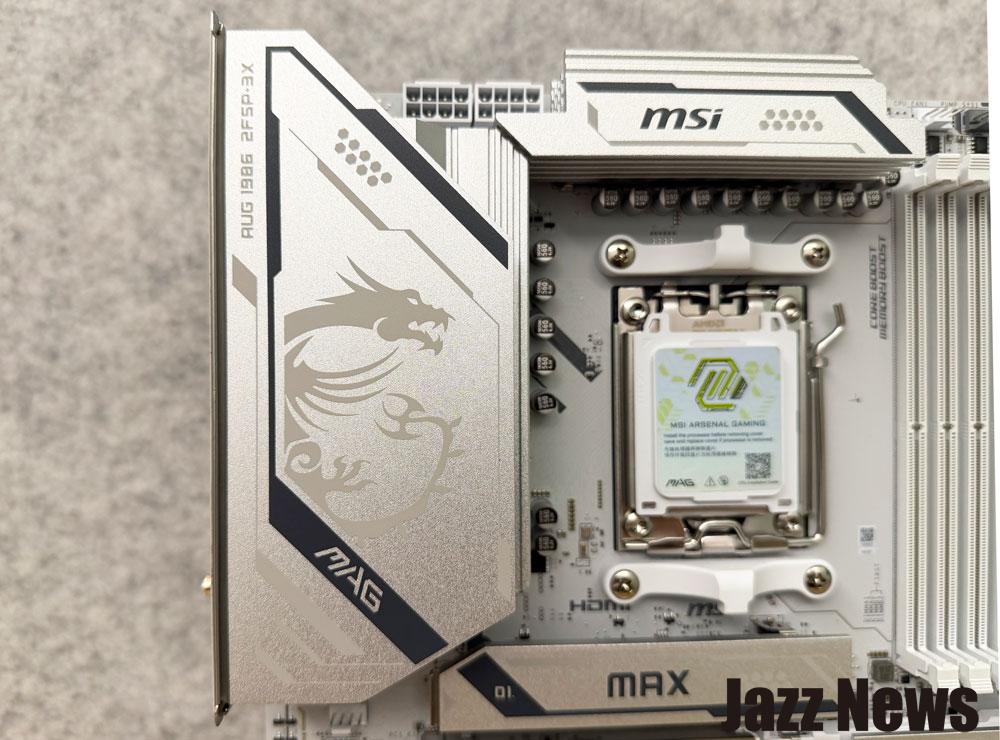
The high-quality heatsink design is notable!
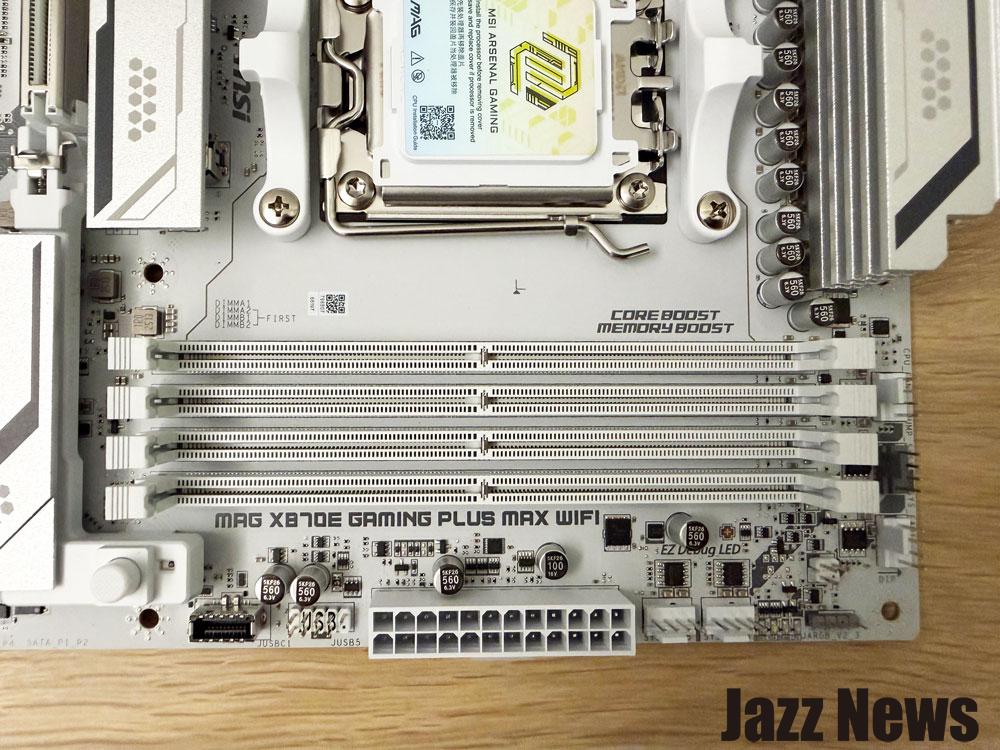
The MAG X870E GAMING PLUS MAX WIFI features four DIMM slots supporting up to 8200+ MT/s DDR5 memory. The board also includes debug LEDs, fan headers, and ARGB connectors.
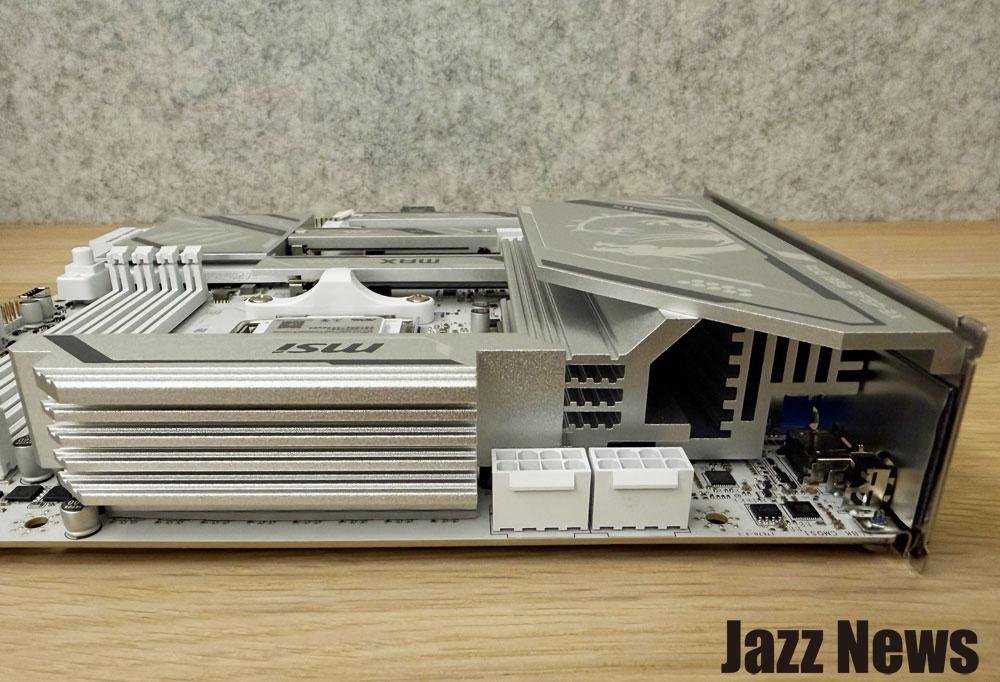
The board features a 2x 8-pin processor power connector and a robust cooling system, with thick heat spreaders covering the upper MOSFETs and an enlarged heatsink to maximize heat dissipation.
The 14+2+1 power phase design with 60A Smart Power Stage ensures stable performance under heavy loads. Combined with dual power connectors, 7W/mK thermal pads, and additional inductor thermal pads, all cores can operate at high speeds.
14+2+1 (60A SPS) Power Design
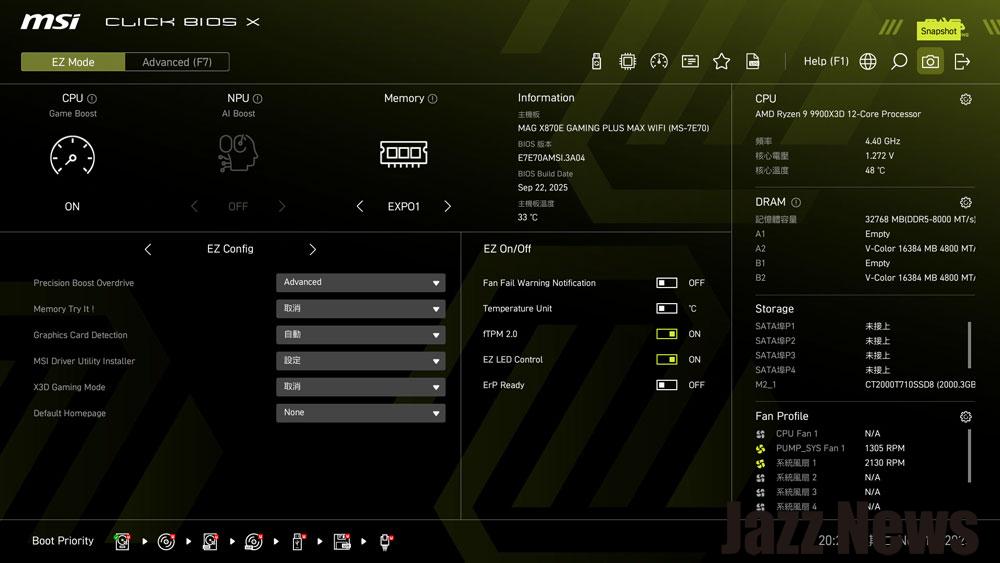 The new CLICK BIOS X interface is designed to be simple and intuitive. In EZ Mode, users can quickly adjust CPU game acceleration, NPU performance mode, memory settings, MSI expert performance settings, and view system information.
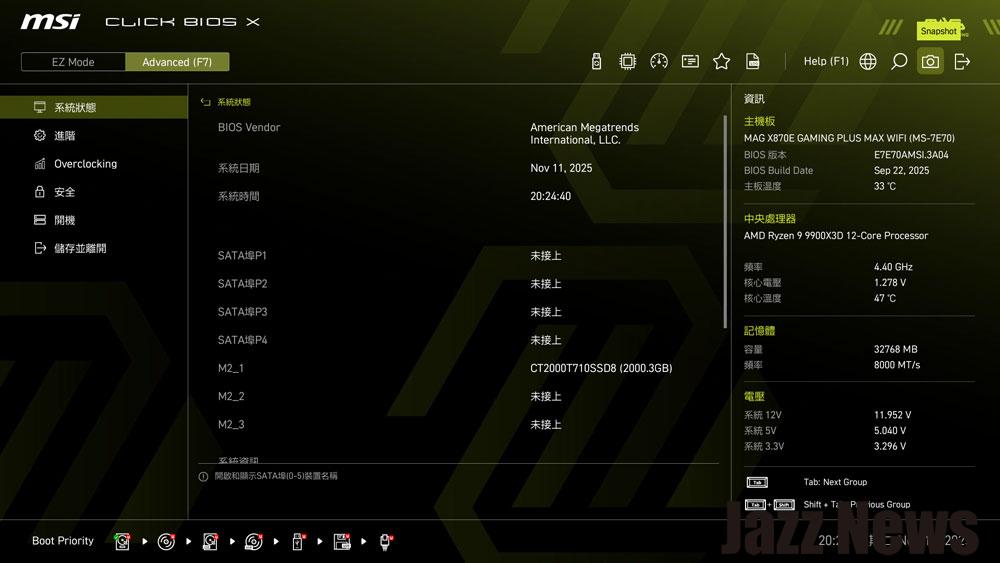
Advanced Mode offers extensive overclocking and voltage control options.
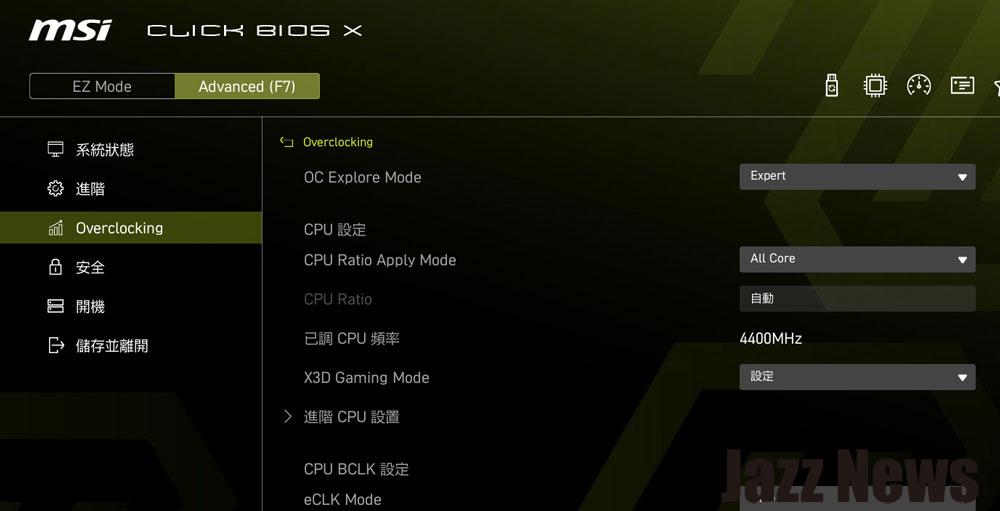 In the overclocking section, the OC Explore and X3D function modes can be enabled.
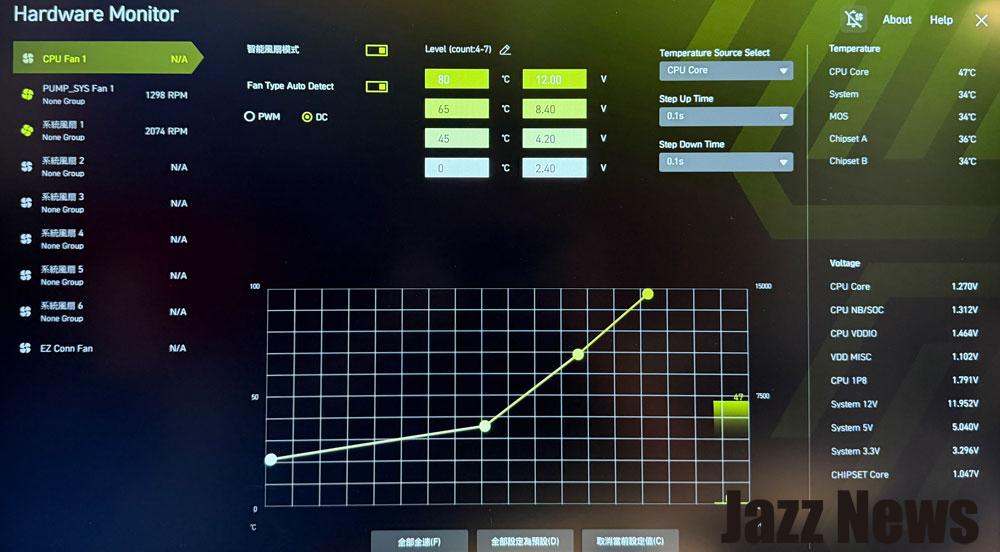
The hardware detection function is also useful, allowing users to adjust fan and liquid cooling speeds.
Performance Testing
Test platform information:
Processor: AMD Ryzen 9 9900X3D
Graphics Card: Not installed (using Ryzen 9 9900X3D integrated graphics)
Processor Cooling System: 360 water cooling system (360mm)
Power Supply: 1000W
Operating System: WINDOWS 11 Professional 24H2
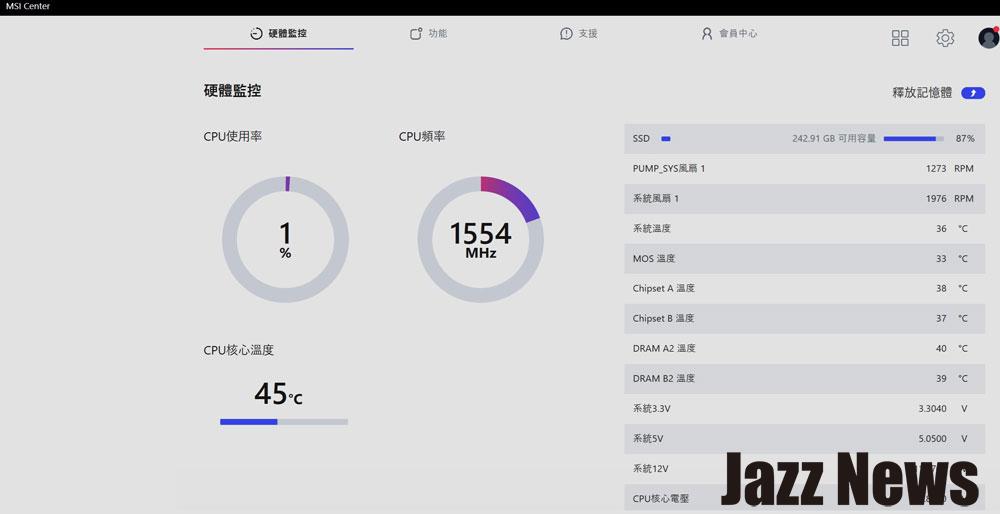
The MSI Center software provides real-time monitoring of system operation, including processor usage, clock speed, and current temperature.
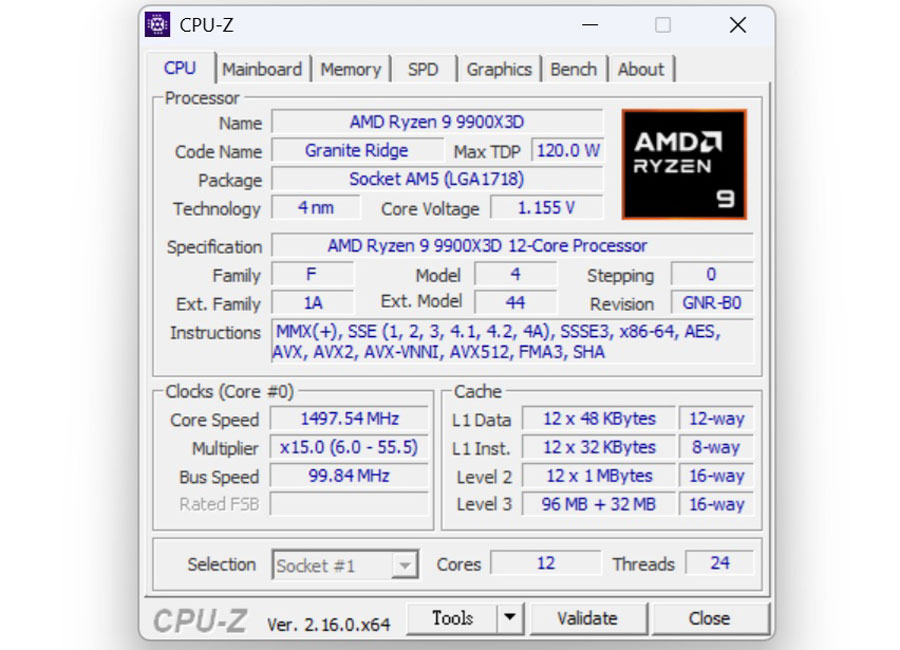
CPU-Z detected the AMD Ryzen 9 9900X3D with a maximum power consumption of 120W, built on a 4nm process, featuring 12 cores and 24 threads.
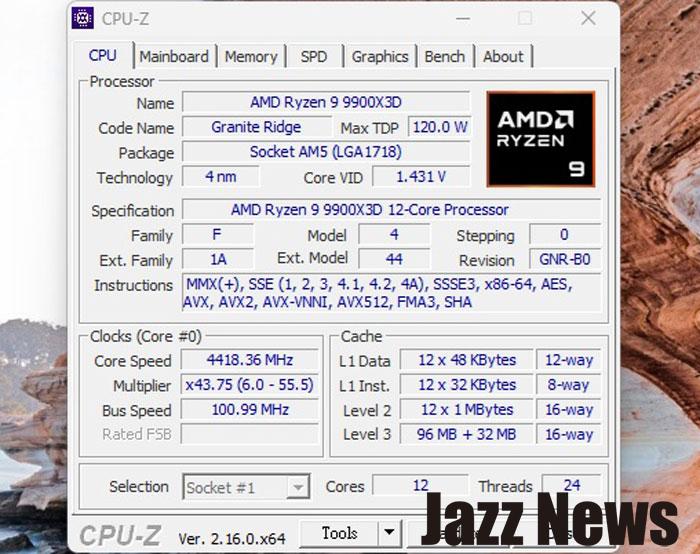
Using the Direct OC Jumper, the base clock was increased from 100 to 101 MHz (shown as 100.99 MHz, previously 99.84 MHz).
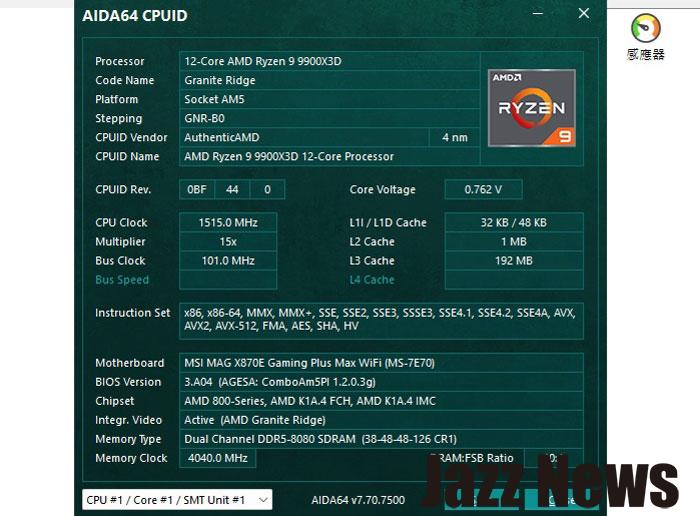
AIDA 64 also confirmed the increased base clock of 101 MHz.
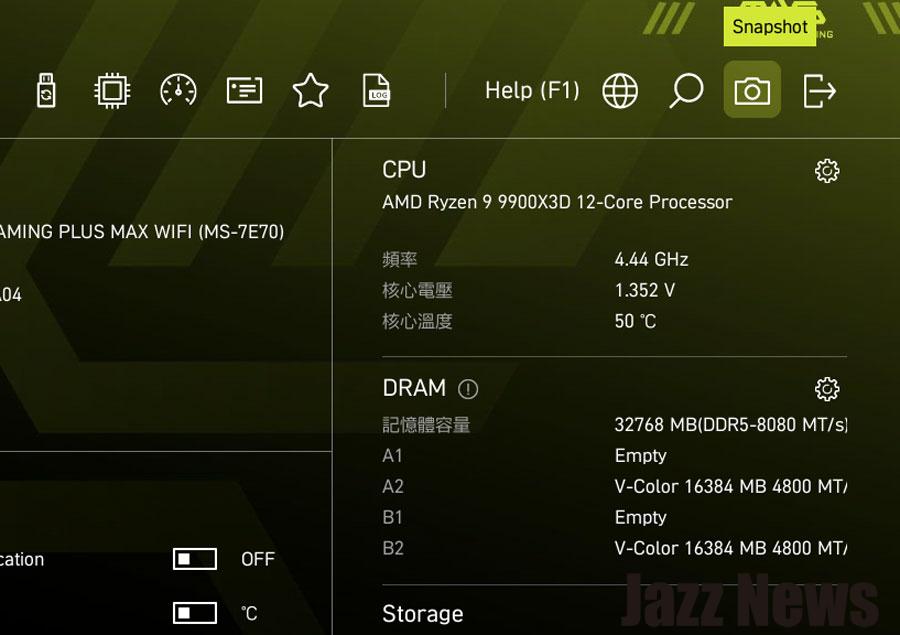
Checking in the BIOS EZMODE, the clock speed increased from 4.4GHz to 4.44 GHz due to the unchanged multiplier!
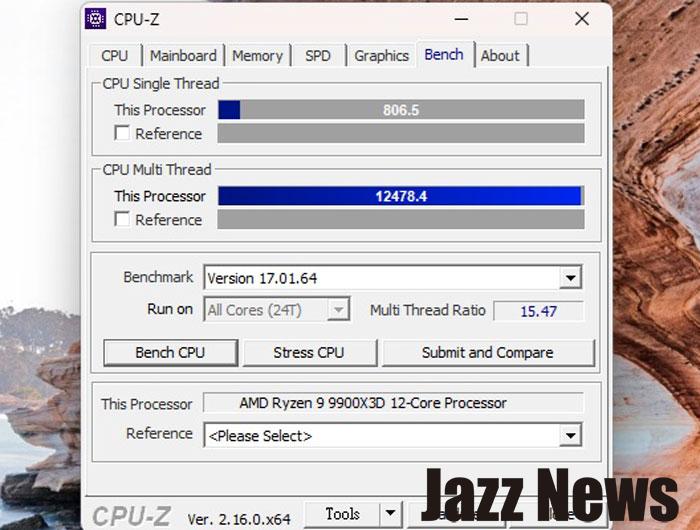
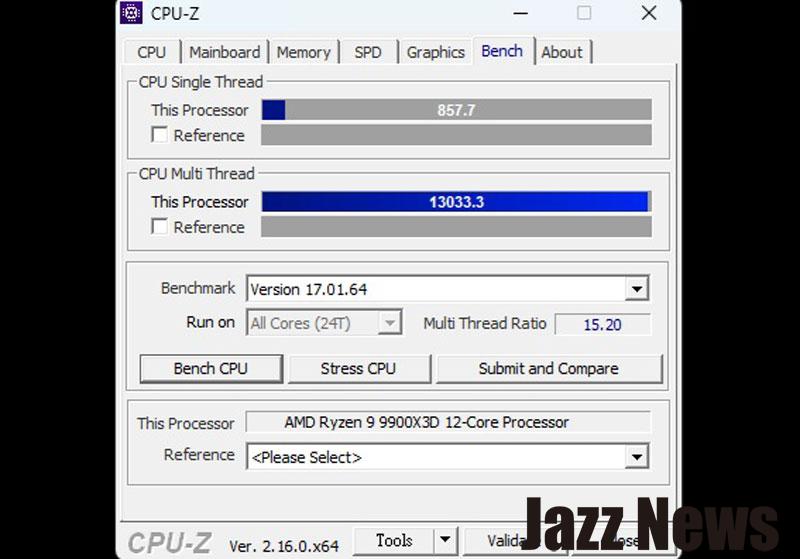
CPU-Z scores with the 101 MHz base clock (previously 100 MHz) showed a single-thread score of 857.7 and a multi-thread score of 13033.3.
PCMARK 10 system performance testing yielded a score of over six thousand without a dedicated graphics card – a strong result! Adding a high-end graphics card could easily push the score above ten thousand.
The MSI MAG X870E GAMING PLUS MAX WIFI motherboard combines a striking aesthetic with excellent expandability, speed, and specifications. Beyond the ease of enabling EXPO for optimal memory performance, the board’s X3D support offers significant gaming benefits.
Furthermore, no additional overclocking adjustments were made, meaning even novice PC builders can easily complete the installation of the latest AMD platform. For gaming, enabling X3D in the BIOS is recommended for optimal performance (disabling it can improve performance in multi-threaded environments).
