
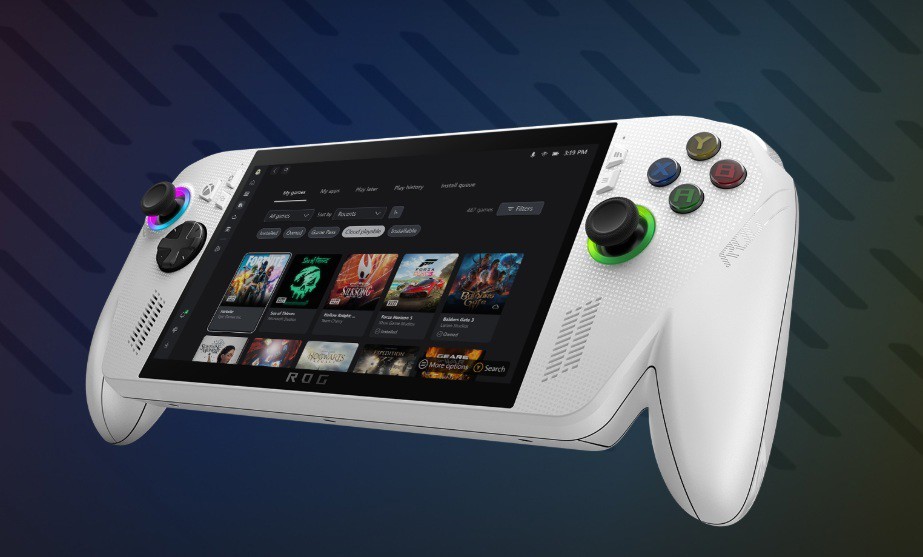
Microsoft is working to bridge the gap between console-like convenience and the flexibility of Windows 11, introducing a new “Gamepad Cursor” feature designed to streamline navigation for handheld gaming devices. Currently being tested for members of the Xbox Insider program, this update allows users to control the system cursor using the left analog stick of a gamepad, effectively replacing the need for a physical mouse or touch screen.
The feature is part of a broader “Xbox Full Screen Experience” concept, signaling Microsoft’s ambition to evolve Windows into a more “console-like” operating system where the gamepad serves as the primary input method. By integrating this functionality directly into the Xbox app, the company aims to simplify how users launch game launchers, manage their libraries, and configure system settings without the friction of switching control modes.
This development is particularly significant for handhelds like the ASUS ROG Xbox Ally and Xbox Ally X. Unlike the Steam Deck, which utilizes trackpads to build desktop mode more manageable, these ASUS devices have historically faced more challenging navigation in Windows. According to reports from April 9, 2026, the Xbox Game Bar has introduced this toggle to allow the left thumb stick to move the cursor and the “A” button to perform clicks.
The move highlights Microsoft’s continued effort to keep pace with the competition in the handheld gaming sector. Beyond the gamepad cursor, the company has recently announced initiatives to improve the overall quality of Windows 11 and implement more efficient RAM management across the OS. While the Gamepad Cursor is currently limited to the Insider Program, it is expected to reach the mainline release version provided no major bugs are encountered during testing.
