
^_
Many smartphone users rely on their devices to capture photos and videos daily, and increasingly turn to services like Google Photos to safeguard those memories. However, the free 15GB of storage offered by Google is often quickly consumed when shared across other Google services like Gmail and Google Drive. This leaves users facing the prospect of upgrading to a paid plan for additional space.
Now, a resourceful team known for their modifications, ReVanced, has developed a workaround: “ReVanced Google Photos.” This app allows Android users to potentially access Google Photos’ previously offered unlimited storage capacity without rooting their devices. The method works by tricking Google’s servers into identifying a device as a qualifying Google Pixel phone, which historically had access to unlimited photo and video backups.
Which Pixel Phones Qualify for Unlimited Backup?
Table of Contents
Google discontinued its unlimited storage offering for most users, but certain Pixel models still retain the benefit:
- Pixel 1: Original quality, unlimited
- Pixel 2–5: High quality, unlimited
- Other phones: None, even within the Pixel series
ReVanced Google Photos aims to emulate the behavior of a Pixel 5, granting access to the unlimited backup allowance. According to information gleaned from the app’s patch files, the Pixel 5 is the most commonly spoofed device, as the older Pixel 1, while offering original quality backups, is less frequently used and therefore carries a higher risk of detection.
What are the Risks of Using ReVanced Google Photos?
ReVanced Google Photos modifies the official Google Photos app to masquerade as a Pixel phone, and does not require rooting. However, because of the altered signature, it necessitates the use of microG to log in with a Google account. This introduces a primary risk: Google account security. While there have been no reported instances of account breaches or data theft to date, it’s advisable not to use a primary Google account. Backing up photos and videos with a secondary Google account is a more secure option.
Furthermore, using this method violates Google’s terms of service, potentially leading to account suspension, although this has not yet been reported. As a modified app, it cannot be updated through the Google Play Store, requiring manual updates when new versions are released by the developers. Finally, if Google changes its verification methods, the app may cease to function. This highlights the inherent instability of relying on unofficial modifications.
How to Get Unlimited Google Photos Backup with ReVanced Google Photos
If you understand the risks and still wish to proceed, here’s how to install and enable the feature. It’s crucial to download the APK file from the official website and avoid third-party sources to prevent malware.
First, verify that your current Android phone’s Google account displays only 15GB of storage in Google Photos, confirming you do not have unlimited capacity: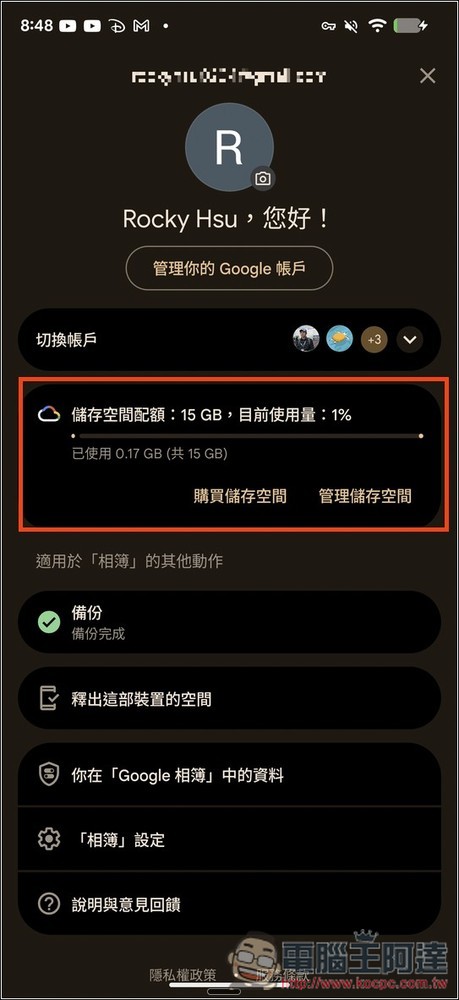
Click the link above to navigate to the ReVanced Google Photos page and download both “ReVanced Google Photos” and “MicroG”: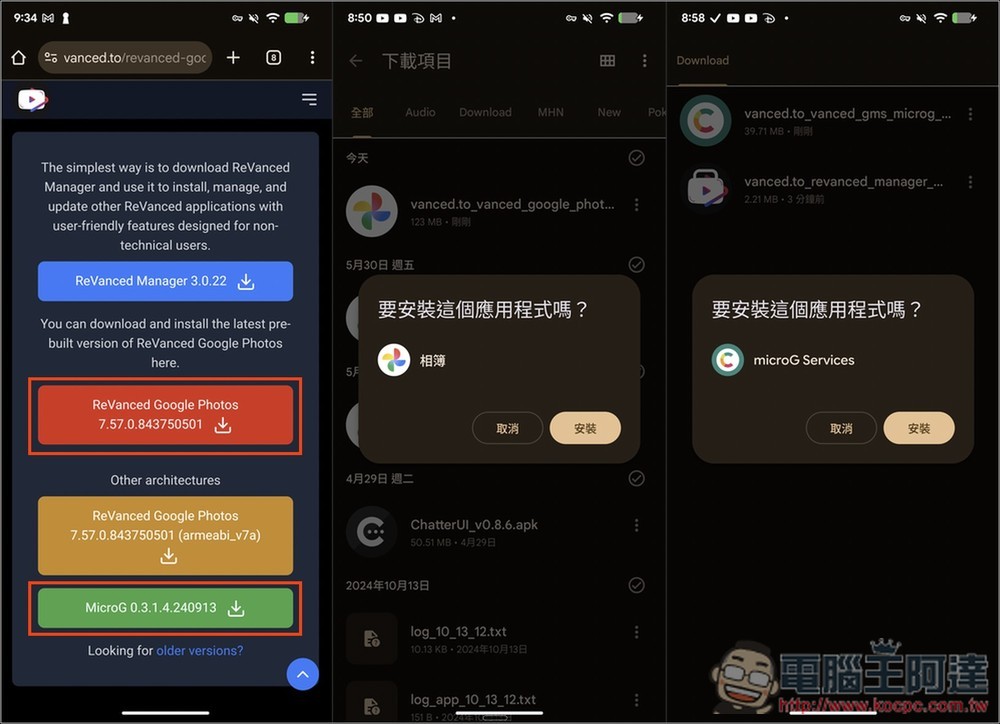
Open the MicroG app and navigate to Settings > Google Accounts > Add Google account. This will launch the Google login process; it’s recommended to use a secondary account: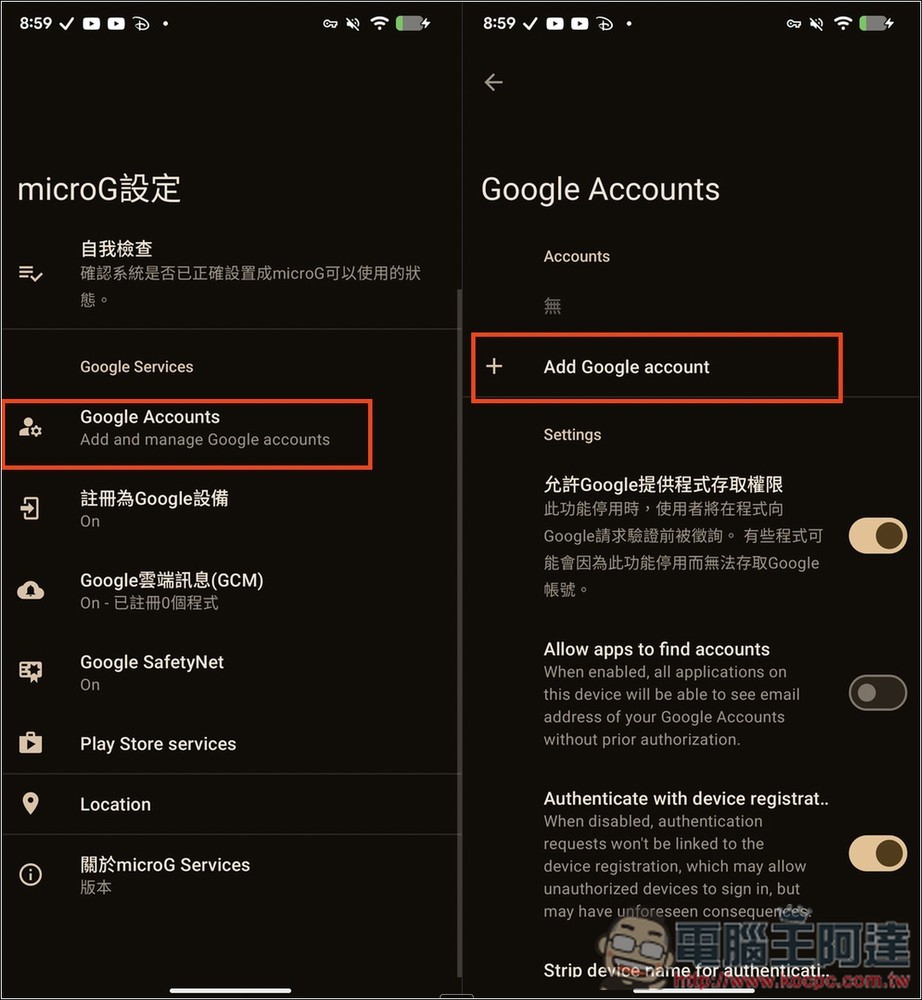
After logging in, open the newly installed Google Photos app. You’ll see two photo libraries in the app menu: the original and the ReVanced Google Photos version. Open ReVanced Google Photos and grant all requested permissions: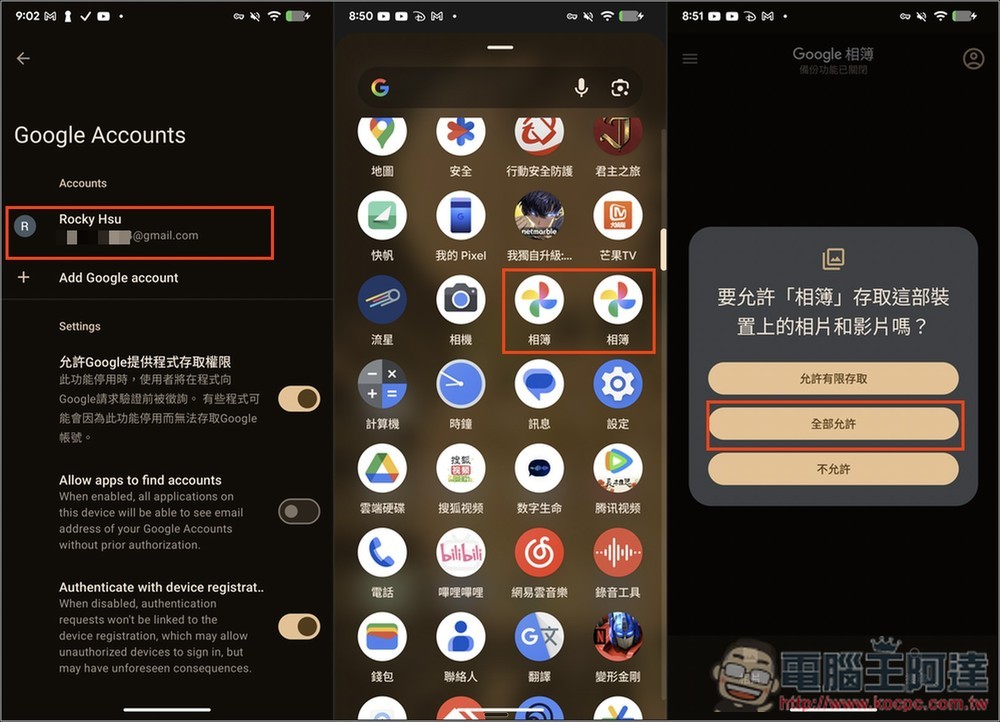
ReVanced Google Photos will automatically connect to the Google account you logged into via MicroG. If the account settings display “unlimited storage,” the process was successful. Your Android phone’s photos and videos will now be automatically backed up to Google Photos with unlimited capacity: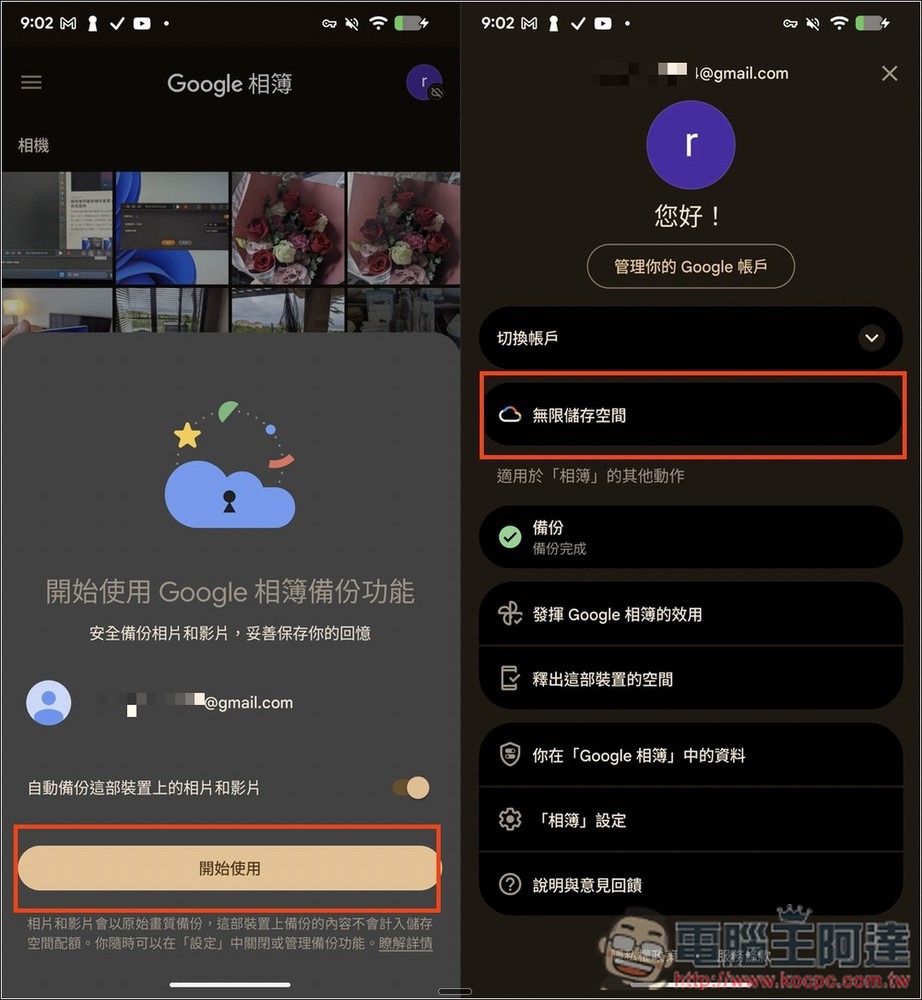
Looking for a Lower-Risk Option? Consider Google’s Current Discounts
If you’re hesitant about the risks associated with this method, Google currently offers substantial discounts on Google AI Pro and Google One plans, making them a worthwhile alternative.
