Samsung Galaxy XR Headset Features Hidden USB-C Port for Enhanced Connectivity
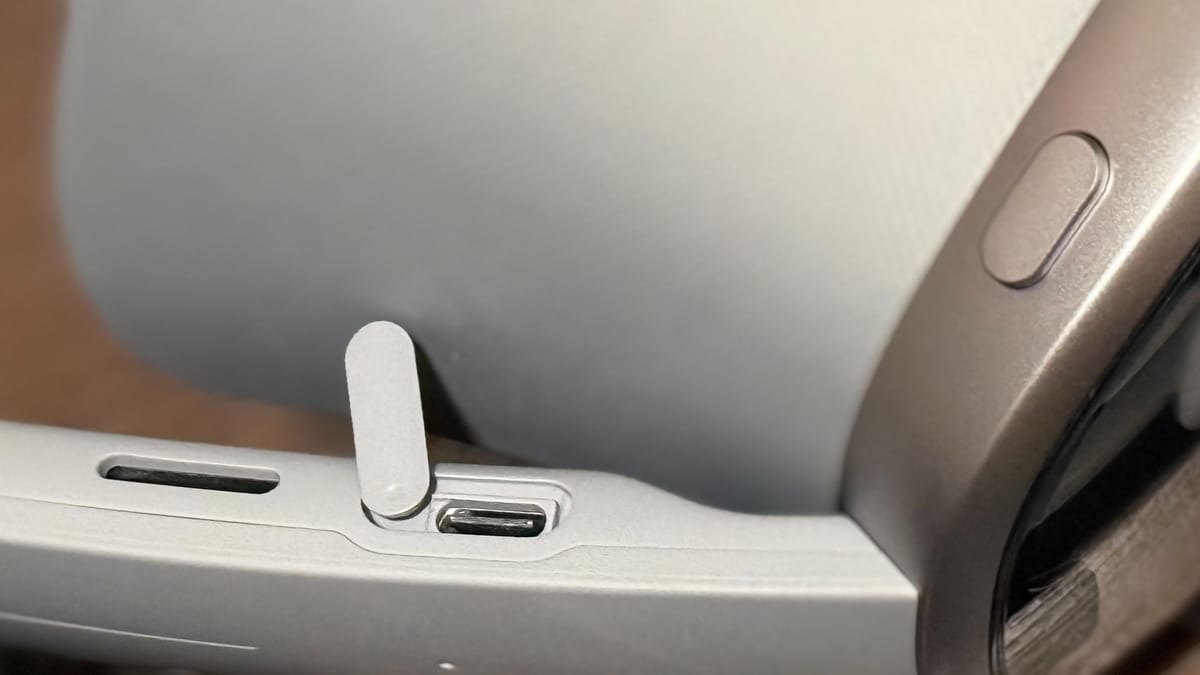
The Samsung Galaxy XR headset, running Google’s Android XR operating system, includes a concealed USB-C port on its right strap, offering users expanded connectivity options for accessories.
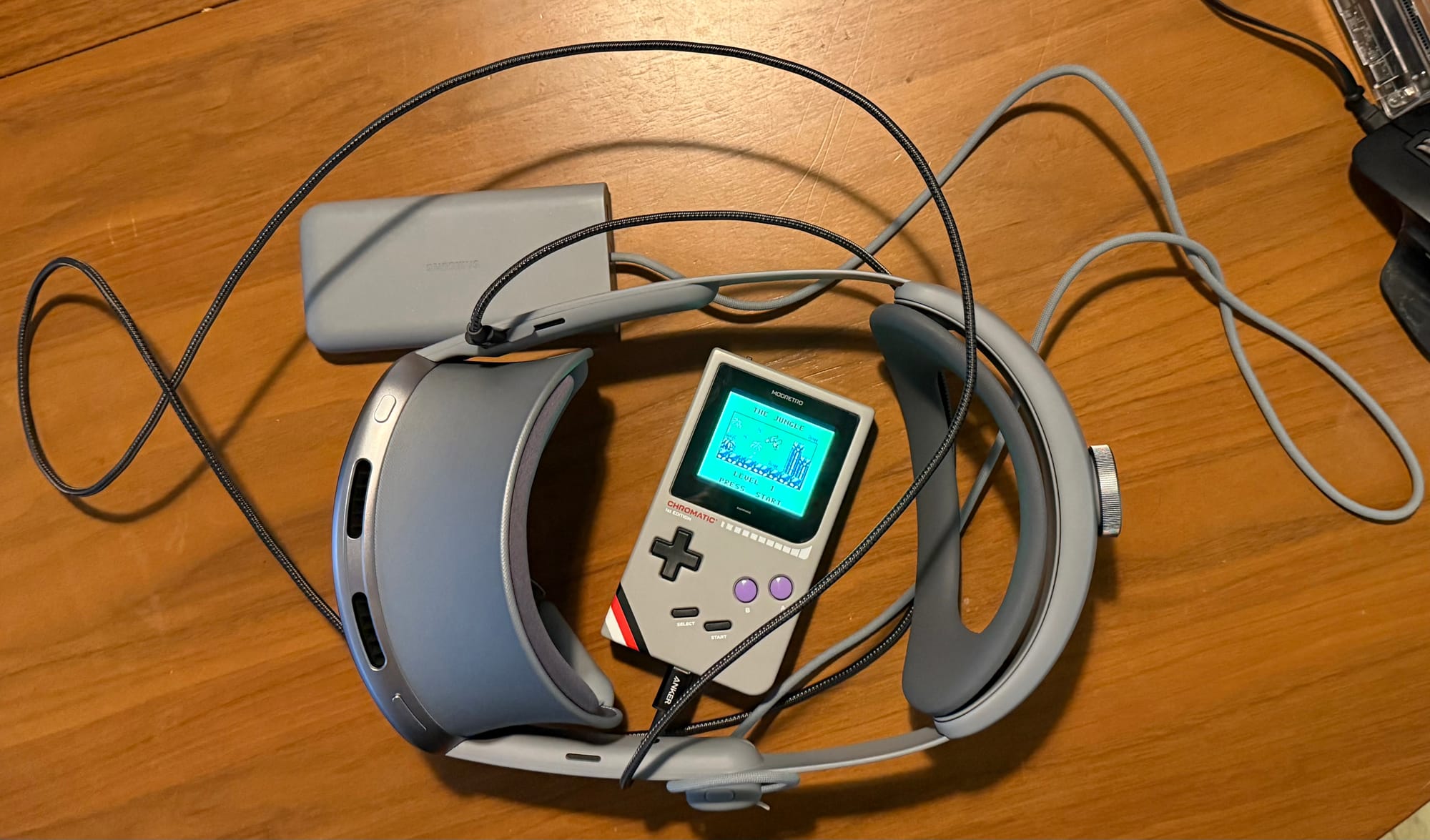
The port, hidden behind a flush cap, allows for connections to devices like Ethernet adapters, webcams, and external displays – demonstrated by the ability to connect a ModRetro Chromatic. Unlike Meta’s Quest headsets, which utilize a single USB-C port for both power and data, or Apple’s visionOS requiring costly developer add-ons for USB-C functionality, the Galaxy XR’s port is dedicated to data transfer, even while using a separate battery pack. This distinction allows for reliable wired connections, a feature increasingly sought after by VR enthusiasts.
This expanded connectivity enables features such as streaming local media via HDMI splitters and maintaining a live view of the physical environment using a UVC webcam, addressing concerns about situational awareness while immersed in virtual reality. The Galaxy XR also supports sideloading APKs without requiring a PC or developer mode and boasts an open bootloader, further enhancing its flexibility for advanced users – a significant advantage for those seeking customization options, as detailed in Android XR documentation.
Samsung has not yet commented on future accessory support, but the inclusion of this port signals a commitment to open standards and user customization within the Android XR ecosystem. The company expects to release further details regarding software updates and compatible accessories in the coming weeks.
A covered USB-C port on the right strap of the Samsung Galaxy XR headset can be connected to a wide range of accessories.
Hidden behind a flush cap that can be pushed out of place, there is a useful USB-C port for Ethernet, webcams or to pull the view from a ModRetro Chromatic. It surely can be used with all manner of USB accessories, but the three listed are connected to the Galaxy XR headset as I publish this writing to the Internet via Ethernet, with Wi-Fi turned off.
Both Meta’s Horizon OS and Apple’s visionOS support USB devices, but Quest headsets have only one USB port that draws in power too and to get a USB-C port on a Vision Pro headset requires a payment to register as a developer first followed by the purchase and installation of a $300 add-on to put the port in place over the right ear. The Apple route is meant for developer use and the Meta route with Quest isn’t the easiest for long sessions, given the power situation.
Now there’s Android XR from Google running on Samsung’s Galaxy XR headset. Galaxy XR requires a dedicated battery pack like Vision Pro but, different from Quest headsets, its hidden USB port isn’t required to take in power, freeing it up for accessory data.
In the past, we’ve tested capture cards in similar scenarios on other standalone headsets. It can be hugely useful to bring in local media with the reliability of a wired connection. Using an HDMI splitter, for instance, can offer a route to watch media on a physical television before putting on the headset and continuing the viewing without missing a moment.
I haven’t tested that with Galaxy XR yet, but with UVC cameras, I can keep an eye on my nearby physical environment without having to rely on passthrough views from my specific viewpoint. Do you have a cat in your space? A wired webcam makes it easy to keep a window in the background showing when kitty is approaching to attack your fingers as they pinch in the open air.
Samsung Galaxy XR Has Easy Sideloading & An Open Bootloader
Samsung Galaxy XR supports sideloading APKs by default, without needing a PC or developer mode, and has an open bootloader too.