
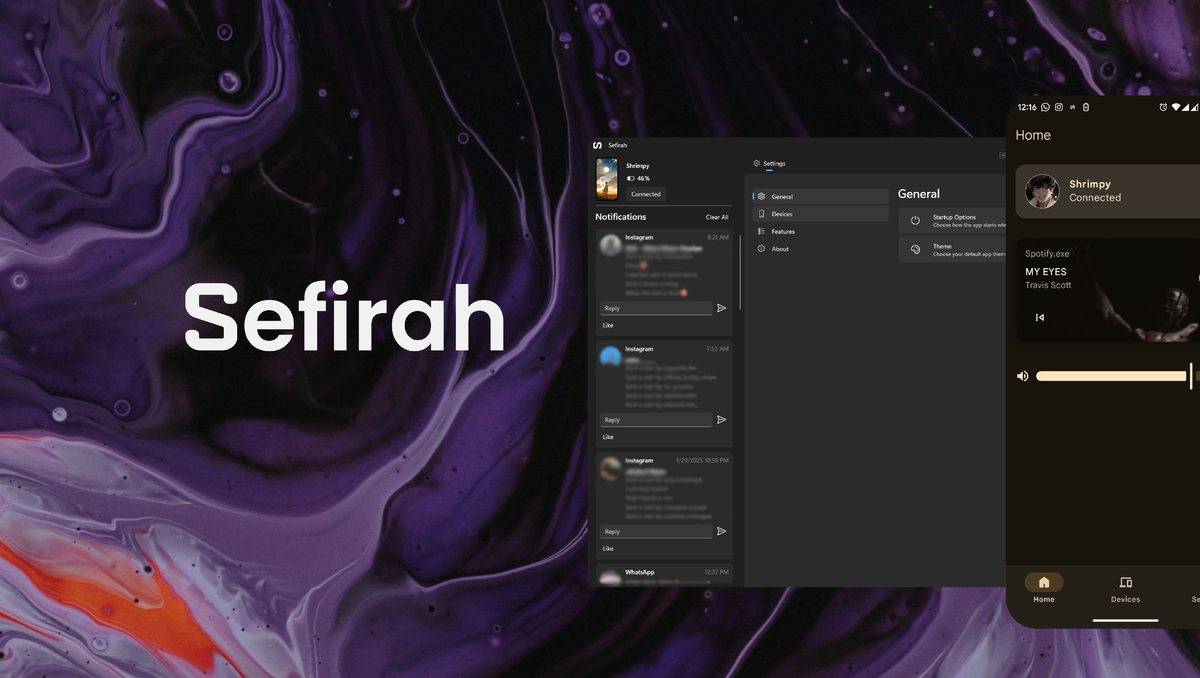
Sefirah, an open-source application, has emerged as a viable alternative to Microsoft’s Phone Link, offering enhanced functionality for connecting Android devices to Windows 11. Available on GitHub, the Windows Store, and Android app platforms, the tool enables seamless clipboard sharing, file transfer, and notification management without requiring a Microsoft account. Its features, including screen mirroring via Scrcpy and storage integration, have drawn praise for bypassing hardware-specific limitations, though Android 15 restrictions and setup complexities remain challenges.
How Sefirah Compares to Microsoft’s Phone Link
Microsoft’s Phone Link, designed to synchronize Windows and Android devices, has seen improvements in recent updates but still faces criticism for hardware-specific limitations. For instance, clipboard synchronization is restricted to high-end Samsung devices, while file transfers and notification management lack consistency across Android models. Sefirah, by contrast, offers a more universal solution, according to Les Numériques, which highlighted its ability to function on any Android device without account requirements.
Key Features and Setup Process
Sefirah’s core features include clipboard sharing, media control, and storage integration. Users can transfer files between devices, mirror their Android screen on a Windows PC, and manage notifications directly from their desktop. The setup process, as detailed on GitHub, involves connecting both devices to the same Wi-Fi network and using a QR code or manual IP input. ADB commands are required to bypass Android 15’s restrictions on sensitive notifications, a step noted by MajorGeeks as a potential barrier for less tech-savvy users.
User Experience and Limitations
Early adopters praise Sefirah’s intuitive interface and broad compatibility, with MajorGeeks highlighting its “seamless workflow” for tasks like clipboard syncing and file sharing. However, the app’s experimental storage integration may not work on older Windows versions, and some users report inconsistent file transfer speeds. Additionally, the lack of iOS support limits its appeal for Apple device owners, a gap Microsoft’s Phone Link also struggles with.
Why Sefirah Matters in the Open-Source Ecosystem
Sefirah’s open-source model allows for greater flexibility and community-driven updates, contrasting with Microsoft’s proprietary approach. Developers can inspect and modify the code, fostering transparency and innovation. This contrasts with Microsoft’s closed ecosystem, which relies on centralized control. For users prioritizing privacy and customization, Sefirah represents a compelling alternative, though its technical setup may deter casual users.
What’s Next for Sefirah?
As Android 15 adoption grows, Sefirah’s developers may need to address evolving platform restrictions. The project’s GitHub repository tracks ongoing updates, with users anticipating improved compatibility and simplified setup. For now, Sefirah remains a niche but powerful tool for those seeking a free, open-source alternative to Microsoft’s offerings, particularly in environments where cross-platform flexibility is critical.
Find more reporting in our Tech section.
