

WhatsApp is testing a green dot feature that would let users see if contacts are online without opening chats, according to multiple reports. The feature, spotted in the Android beta version 2.26.24.5, would display a small green indicator next to a contact’s profile picture when they’re active on the app. This aligns with similar functionality on Instagram and Slack, where users can gauge real-time availability. The update, first reported by Jagran.com, is part of broader changes aimed at improving user experience.
Green Dot Feature: A New Way to Track Online Status
The green dot indicator is designed to replace the existing “Online” text label in chat info screens, offering a more visual cue for activity. WABetaInfo, a popular app feature tracker, confirmed the change during its analysis of the WhatsApp beta. Users would be able to hide the feature through privacy settings, according to reports. This development follows similar tests on other Meta platforms, suggesting a push to standardize user interface elements across the company’s ecosystem.
While the feature is still in development, ABP News noted that it could be rolled out to all users in future updates. The addition of a visual indicator reflects a growing trend in messaging apps to provide real-time feedback, a shift that could influence how users manage their interactions.
Voice Message Widget: Streamlining Communication
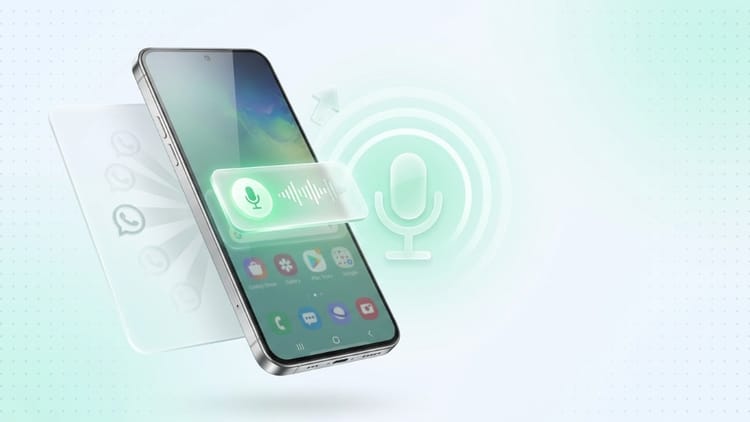
Another major update involves a voice message widget for Android users, allowing them to record and send voice messages directly from the home screen. Amar Ujala reported that the widget would function as a shortcut, eliminating the need to open the app. The feature, still in development, could also let users post voice notes directly to their status, a move that aligns with Meta’s broader strategy to expand multimedia sharing.

According to Samsung Magazín, the widget would initially appear in a compact 3×1 format but could be resized based on user preference. This flexibility suggests a focus on customization, a key differentiator in competitive messaging apps.
Backup Management: Simplifying Storage Control
WhatsApp is also working on a dedicated backup management section for Android users, according to Jagran.com and ABP News. The feature would let users view, delete, or duplicate previous backups, with potential integration into Android system settings. Google is reportedly collaborating on the update, with the new backup controls expected to appear in Google Play Services v26.23.
This change addresses a common user pain point: managing storage space. With backups often consuming significant device memory, the new tool could help users optimize their phones more efficiently. However, the feature remains in the testing phase, with no official timeline for a full rollout.
Animation Controls: A Return to Customization
On iOS, WhatsApp is reintroducing message animation controls, a feature previously removed. AajTak reported that the animations, which make messages appear with a smooth effect, would be adjustable via the app’s settings. Users could toggle the feature on or off, a change welcomed by those who found the animations distracting.
-1781975558289_m.webp "Animation Controls: A Return to Customization")
The update, part of the iOS beta 26.24.10.70, marks a reversal of a 2024 decision to remove animations. While the exact reasons for the change remain unclear, the move highlights WhatsApp’s ongoing efforts to balance user preferences with functional design.
What’s Next for WhatsApp?
These updates signal WhatsApp’s continued focus on refining user experience through incremental improvements. The green dot, voice message widget, and backup management tools all aim to simplify interactions while addressing storage and accessibility concerns. However, the exact release dates for these features remain uncertain, with most in the testing phase.
For users, the changes could mean a more intuitive and efficient app, though privacy and customization will likely remain key discussion points. As Meta continues to evolve its platforms, the success of these updates will depend on how well they align with user needs and expectations.
Find more reporting in our Tech section.
