
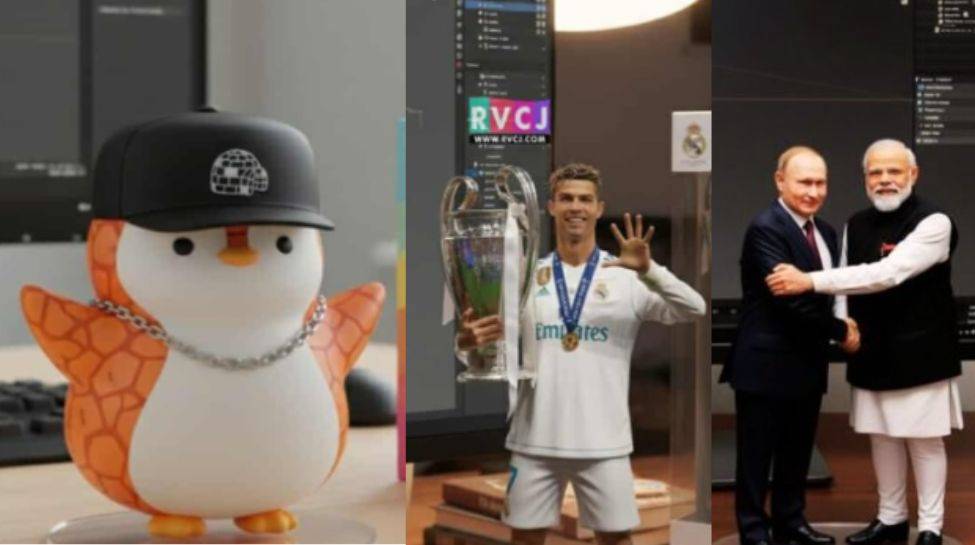
AI-Generated 3D Figurines Surge in Popularity with New Gemini Model
A new artificial intelligence model from Gemini is enabling users to transform personal photos into realistic 3D figurine images, sparking a wave of creativity and digital artistry today.
The process, utilizing the Gemini 2.5 Flash Image model – also known as “Nano Banana” – allows individuals to upload photographs and, through detailed prompts, generate images resembling custom-designed figurines. Users can specify details such as scale, environment, packaging, and lighting to achieve a desired aesthetic. The technology is accessible through the Gemini App and Gemini AI Studio. The ability to easily create personalized digital assets is fueling a growing trend in online self-expression.
Creating a figurine involves uploading a clear photograph and then inputting a descriptive prompt outlining the desired style. The model then processes the image, generating a 3D rendering. Users can refine the results by adjusting the prompt or using a different photograph. For those unfamiliar with crafting effective prompts, official templates are available to guide the process. More information about the capabilities of generative AI can be found at Google AI.
The ease of use and accessibility of the “Nano Banana” model are contributing to its rapid adoption, with users sharing their creations across social media platforms. This technology builds upon the advancements in image generation discussed in recent reports from Wired. Gemini officials stated they will continue to monitor user feedback and refine the model’s capabilities in the coming weeks.
Here’s how you can make your own Nano Banana‑style image:
Open Gemini App / Gemini AI Studio (or via the web if available). Ensure you are using Gemini 2.5 Flash Image / “Nano Banana” model. Upload a photo you want to transform (yourself, a pet, a pet + you, etc.). Make sure the photo is clear enough for details. Write/paste a prompt describing how you want the figurine style: scale, environment, packaging, lighting, base, etc. There are official prompt templates you can use or tweak. Generate the image. The model will process and create the 3D figurine image with the aesthetic you described. Review & tweak if needed: change background, adjust style, change scale, etc., by editing the prompt or trying a new photo. Then download/share.
